
What it is, and who it suits
Ready-made templates give you a working starting point instead of a blank page. One is a workflow that follows up deals that have gone quiet; the other is a reporting dashboard that shows how your reviews are tracking. Both suit anyone who wants a proven setup fast and is happy to check the wording before it goes live.
The workflow follows up deals that have gone quiet. The dashboard shows how your reviews are tracking.
Stale deal follow-up
Add the template
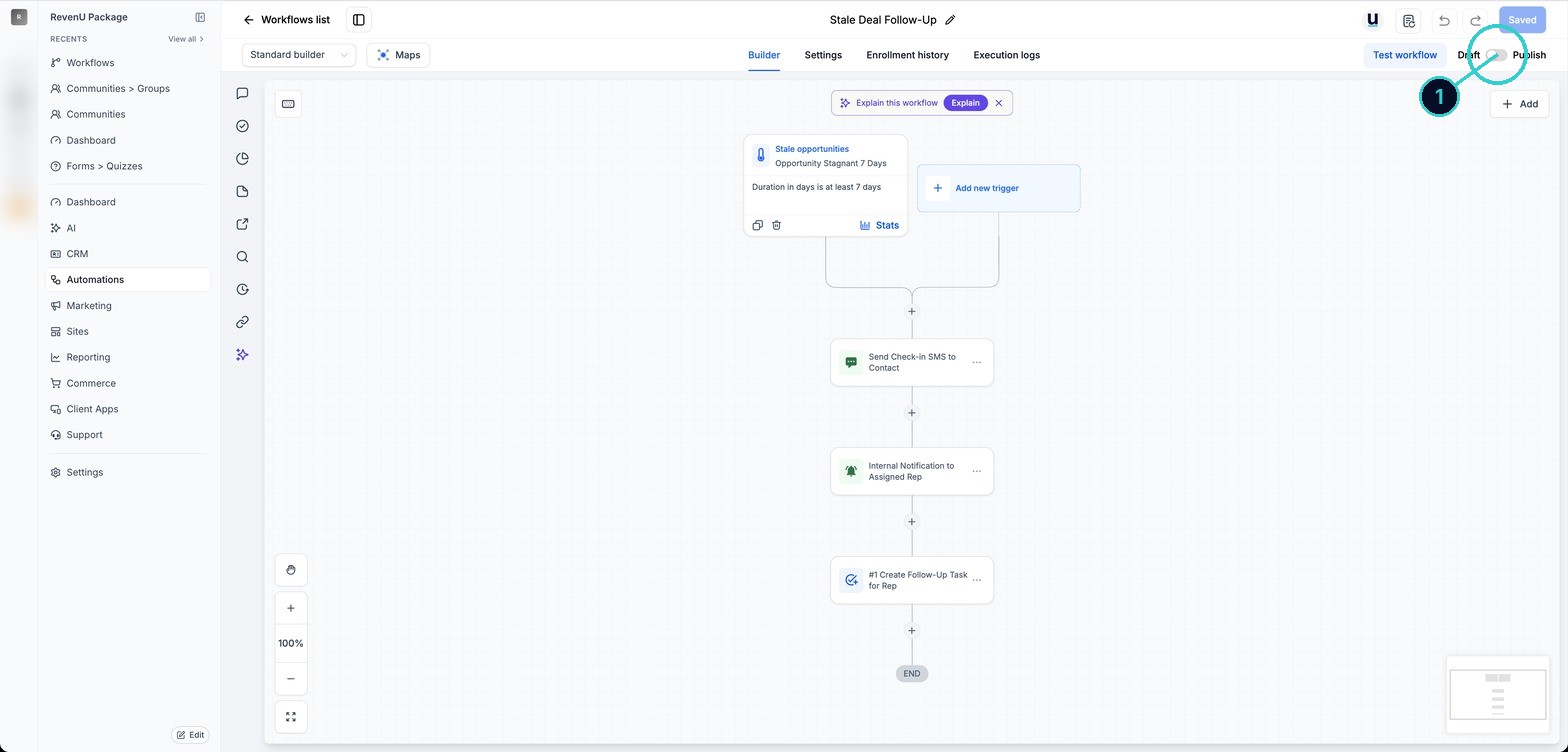
Go to Automations > Workflows > + Create workflow > Select from Template, then pick Stale Deal Follow-Up. It is added as a draft straight away.
Automations› Workflows› + Create workflow› Select from Template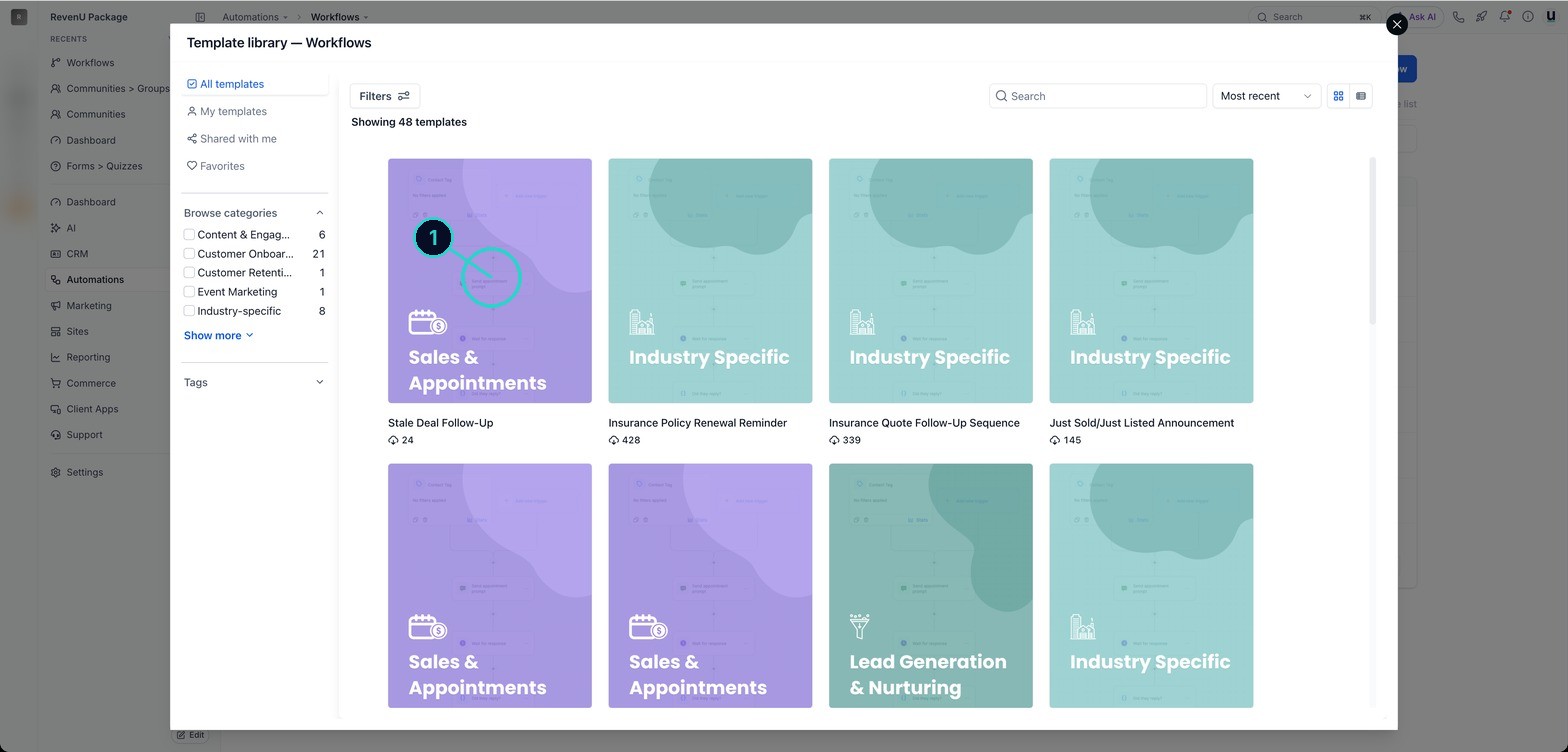
Check the trigger and the wait time
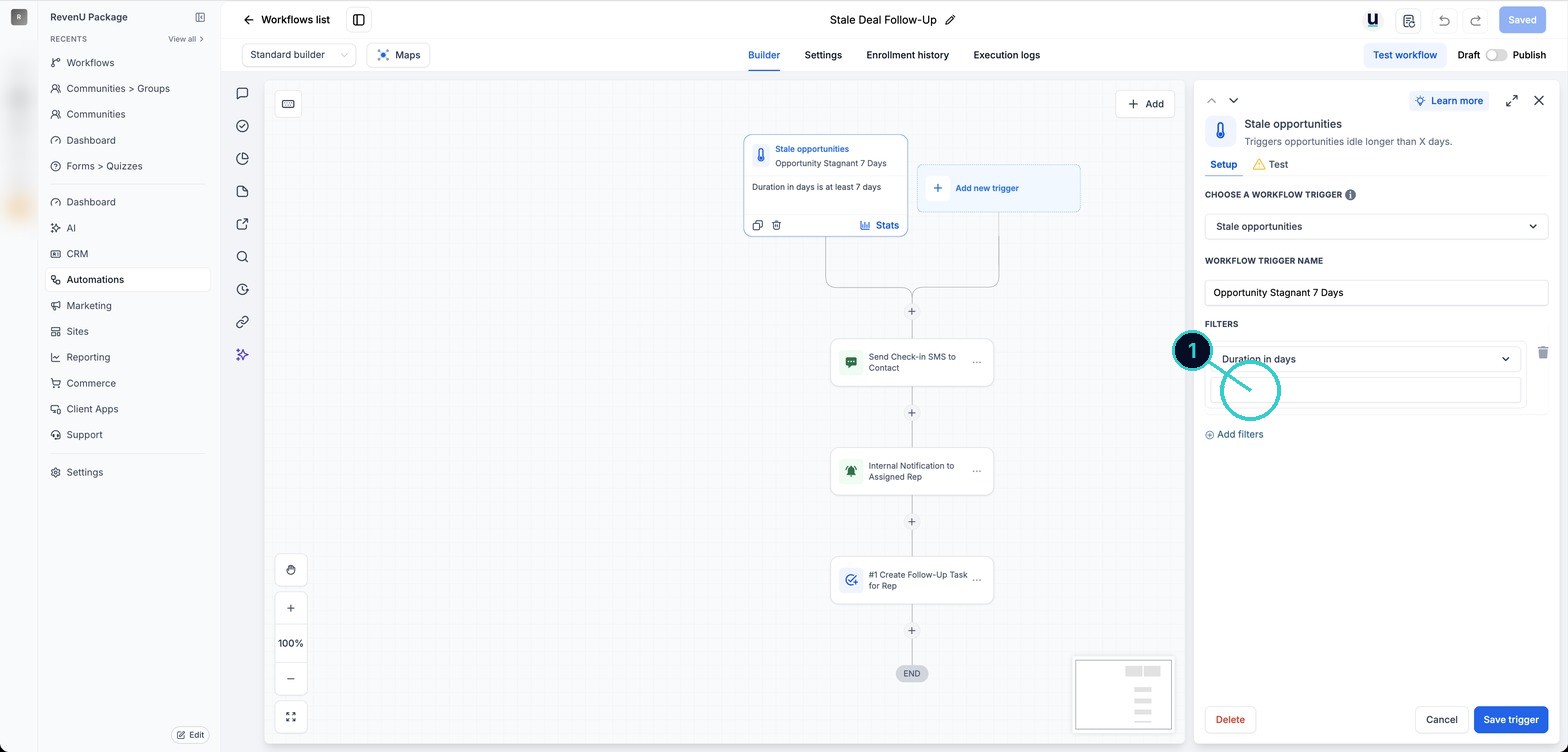
The trigger is Stale opportunities, with Duration in days at least 7. Change the days to suit your sales cycle.
Change the wording to yours
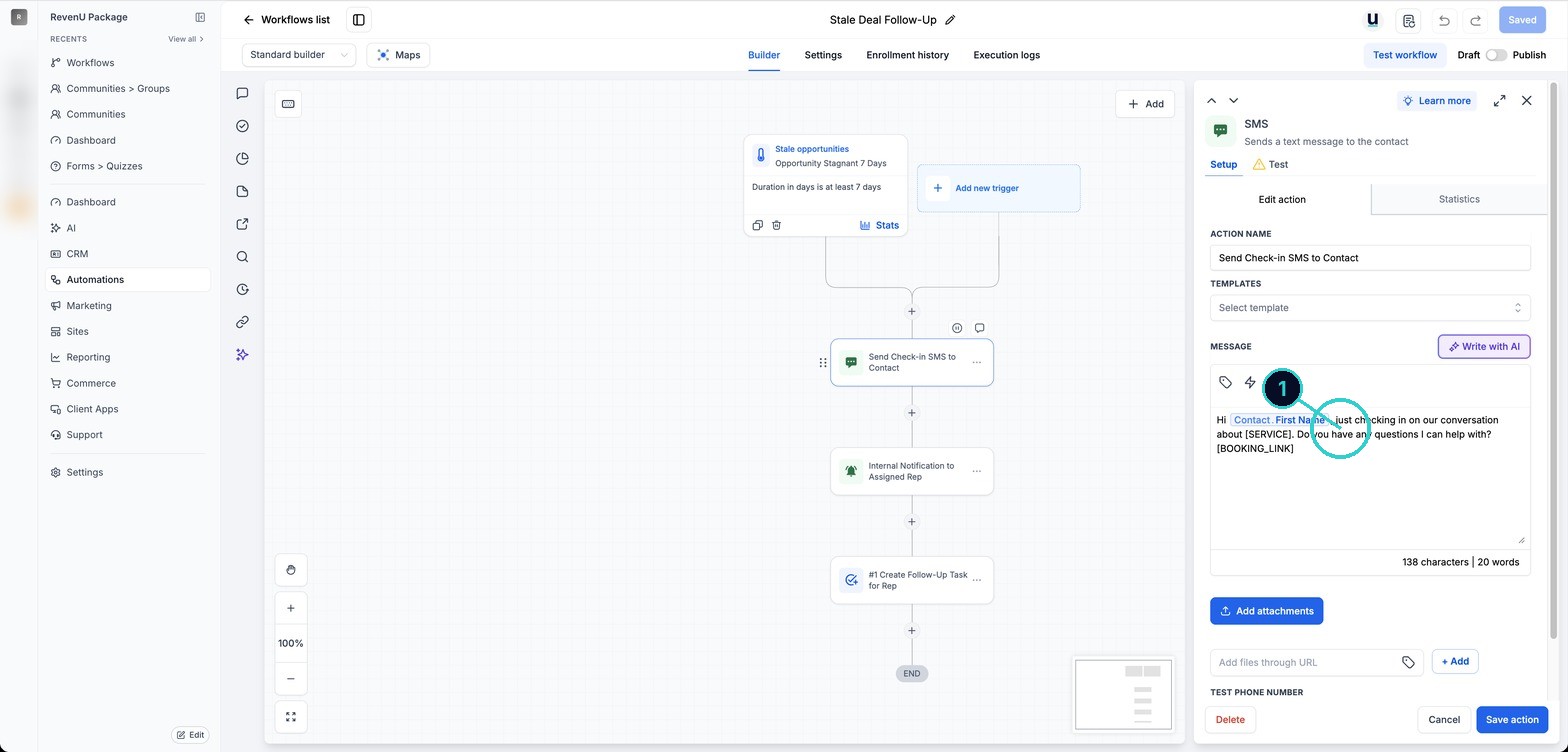
Rewrite the messages in your own voice, with your business name and a way to opt out. The template SMS has [SERVICE] and [BOOKING_LINK] placeholders and no opt-out. Replace them, add your business name and Reply STOP to opt out.
Follow-up textHi Sarah, it's Dan from Northside Plumbing. Just checking you got our quote. Any questions, call 03 9000 0000. Reply STOP to opt out.About 133 characters, 1 text per person. Check the costShown with example details. Copy pastes the version that fills in your own business and each customer's name by itself.
Test it on yourself
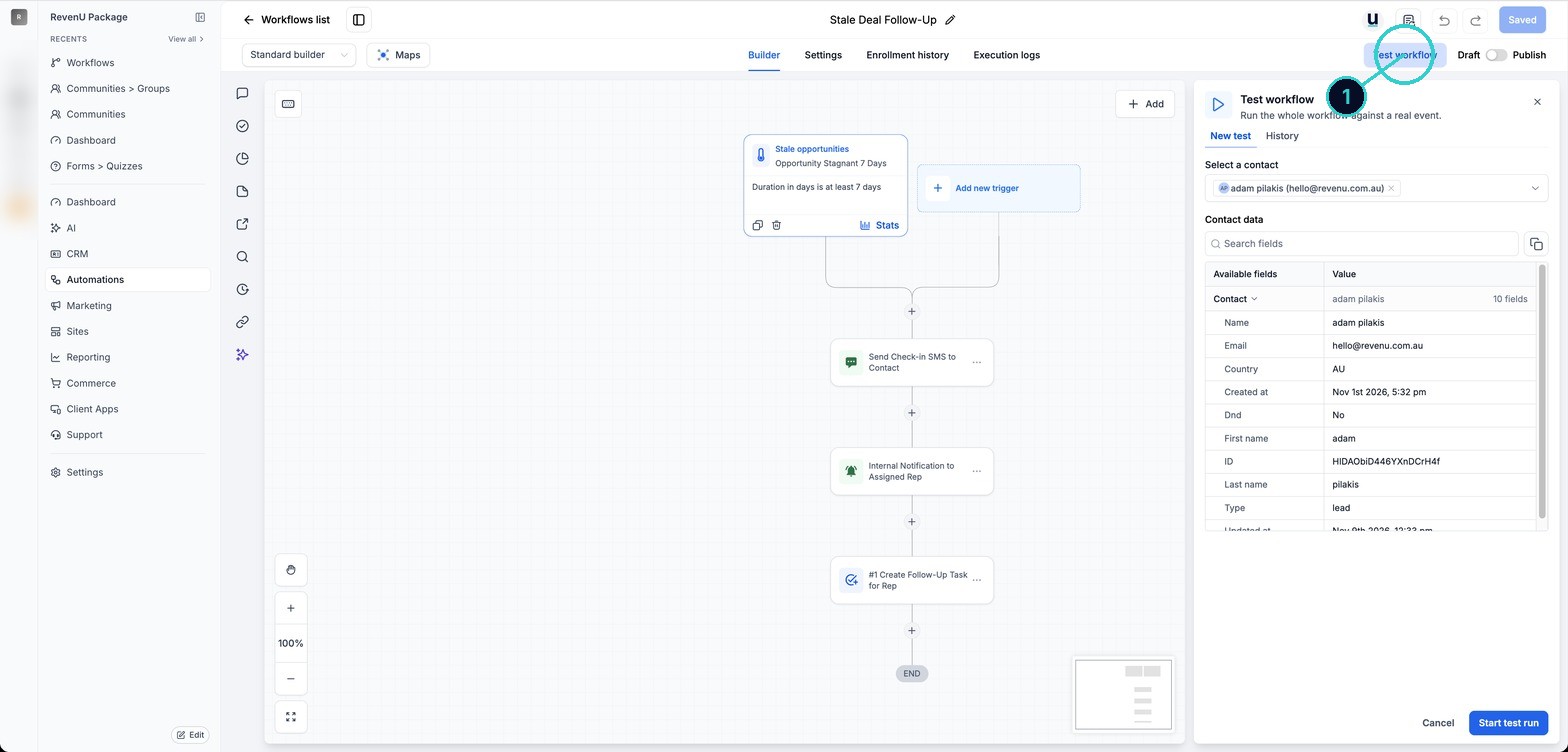
Use Test workflow on your own contact before going live.
A proven follow-up or reviews view, checked and live, without starting from scratch.
Next up
People who did this also asked
Move jobs through your pipeline
Stages like Enquiry, Quoted, Booked, Done. Move cards by dragging, from the record, in bulk, or let a workflow do it.
- 1Open the board
- 2Add a card
- 3Drag it along
Reviews, the full picture: native requests vs workflows
Two ways to ask for reviews, when to use each, plus AI replies, widgets and spam reviews.
- 1Where everything lives
- 2Way 1, native requests: simplest
- 3The message to use
Set up your dashboard so it shows what matters
Pick the numbers you check every week, filter by date, and get an AI summary in plain words.
- 1What the dashboard is for
- 2Make your own dashboard
- 3Edit and add widgets
Why isn't my workflow working?
Eleven things that quietly stop automations, most likely first, and how to check each in a minute.
- 1How a workflow runs
- 2It's still a draft
- 3Check Enrollment History