
What skills are
A skill is a reusable routine you attach to the AI Agent step. Each skill has a line that says when to use it. The agent only loads it when a run matches that line, so one agent can handle emergencies one way and quote requests another without a giant set of instructions.
Automations› Workflows› AI Agent› SkillsThe built-in skills
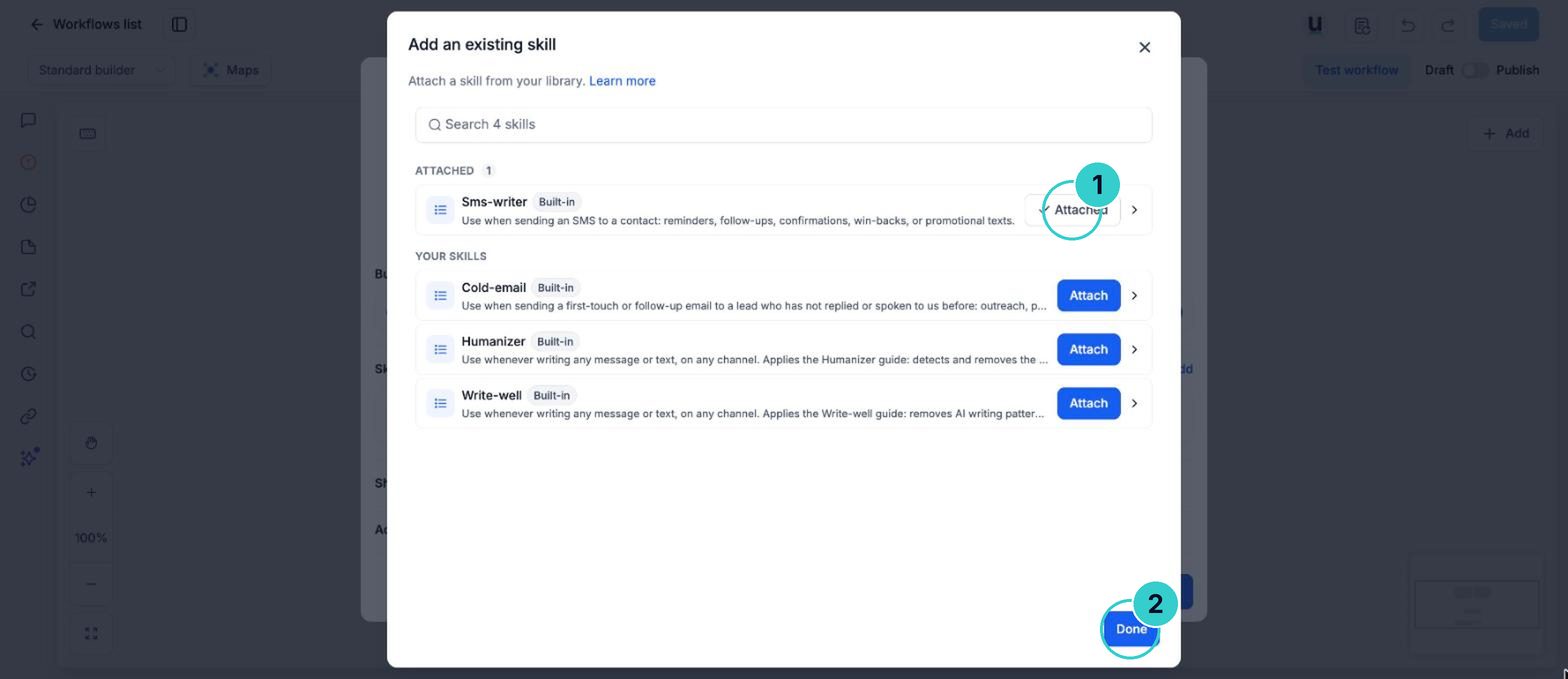
Humanizer (makes replies sound less robotic), Write-well (clearer writing), Cold-email (first emails to new prospects) and Sms-writer (short texts that fit one message).
Skills are shared
A skill is shared across every AI Agent step that uses it. Editing it changes all of them, and deleting it removes it everywhere. A skill also can't act on its own: the agent still needs tools like Send SMS switched on.
Add from the library for writing style. Create with AI to get a first draft of your own routine fast. Write it yourself when you know exactly what should happen.
Add a built-in skill
Open Skills on the agent step
Open the workflow, click the AI Agent step and open Skills.
Automations› Workflows› AI Agent› Skills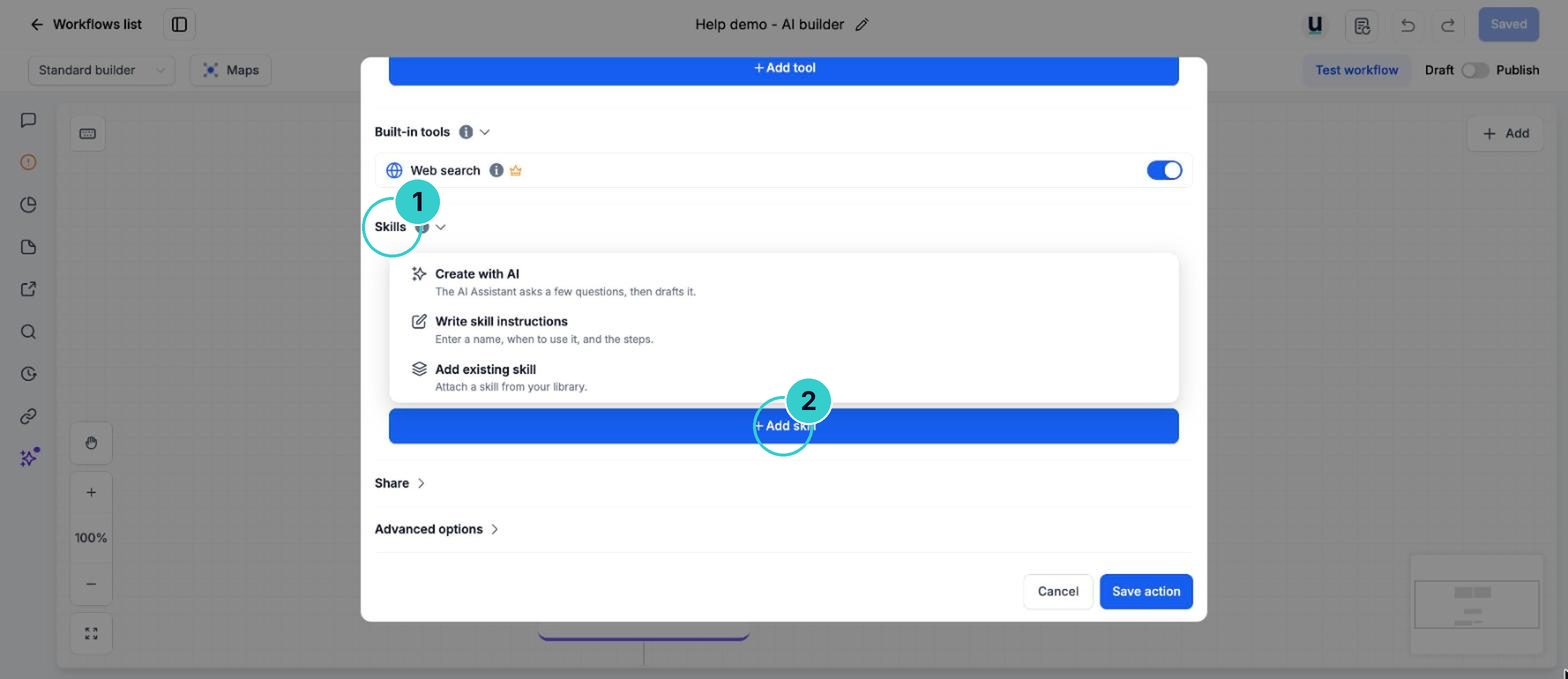
Add from library
Choose Add from library and pick Humanizer, Write-well, Cold-email or Sms-writer.
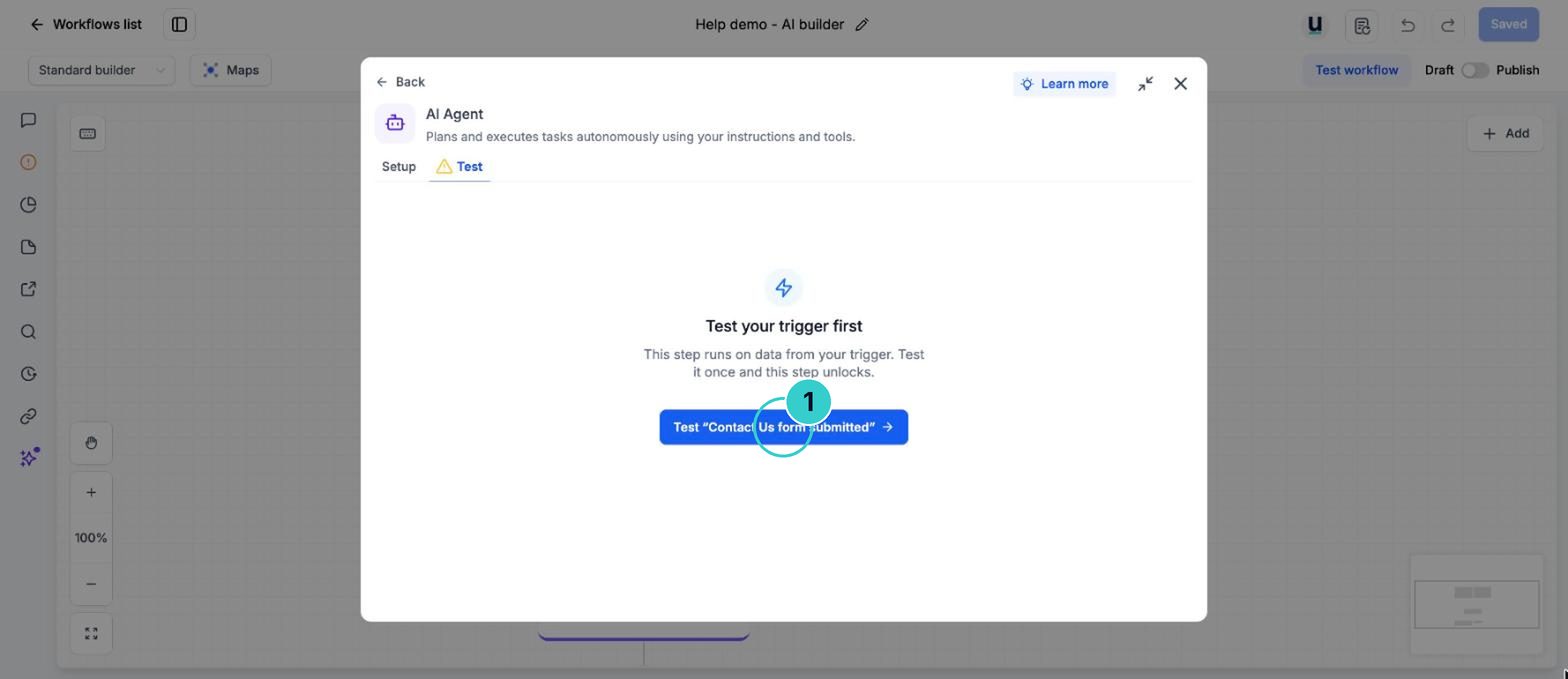
One agent that handles each kind of enquiry the right way, with routines you can reuse.
Next up
People who did this also asked
Use an AI agent inside a workflow (with web search)
Let AI read a lead, look things up, decide and write the reply mid-workflow. Pick the agent step, a one-job AI step or a managed agent.
- 1Add the AI Agent step
- 2Write the instructions
- 3Turn on the tools it needs
Build your own AI agent
An agent that runs a job for you: follows up, chases, checks, reports. Described in plain English.
- 1Start it
- 2Describe the job
- 3Set when it runs
Change what your AI agent says
Chat to the agent, edit its instructions yourself, or add knowledge. Then test it and switch it on.
- 1Open your agent
- 2Describe the change in the editor's chat
- 3Read what changed