
What it is, and who it suits
The AI Agent step puts an agent in the middle of a workflow. It reads what it's given (the contact, the form, the message), follows your instructions, can use tools like sending a text, and passes its answer to the next steps. It suits businesses whose leads ask questions that need a bit of thinking: a solar installer answering rebate questions, a clinic checking which service fits.
Web search, built in
Turn on Web search under the agent's Built-in tools and it can look up facts it doesn't know mid-run. Paste the web addresses you trust into its Instructions and it treats them as sources, such as your state's rebate page. Each search costs a little on top of the step (about 1 cent US per search on the OpenAI or Claude models, 1.4 cents on Gemini), charged to your wallet. Finding something doesn't mean acting on it: the agent still needs tools to send or update anything.
Automations› Workflows› AI Agent› Built-in tools› Web search
Use the AI Agent step when the job needs judgement and several steps. Use a one-job AI step (summarise, translate, extract, decide) when you just need one answer back. Use a managed agent when the same agent should also work outside workflows, on a schedule or in chat.
AI Agent step
Add the AI Agent step
Open the workflow, click + and choose AI Agent.
Automations› Workflows› a workflow› +› AI Agent2 See it on the App map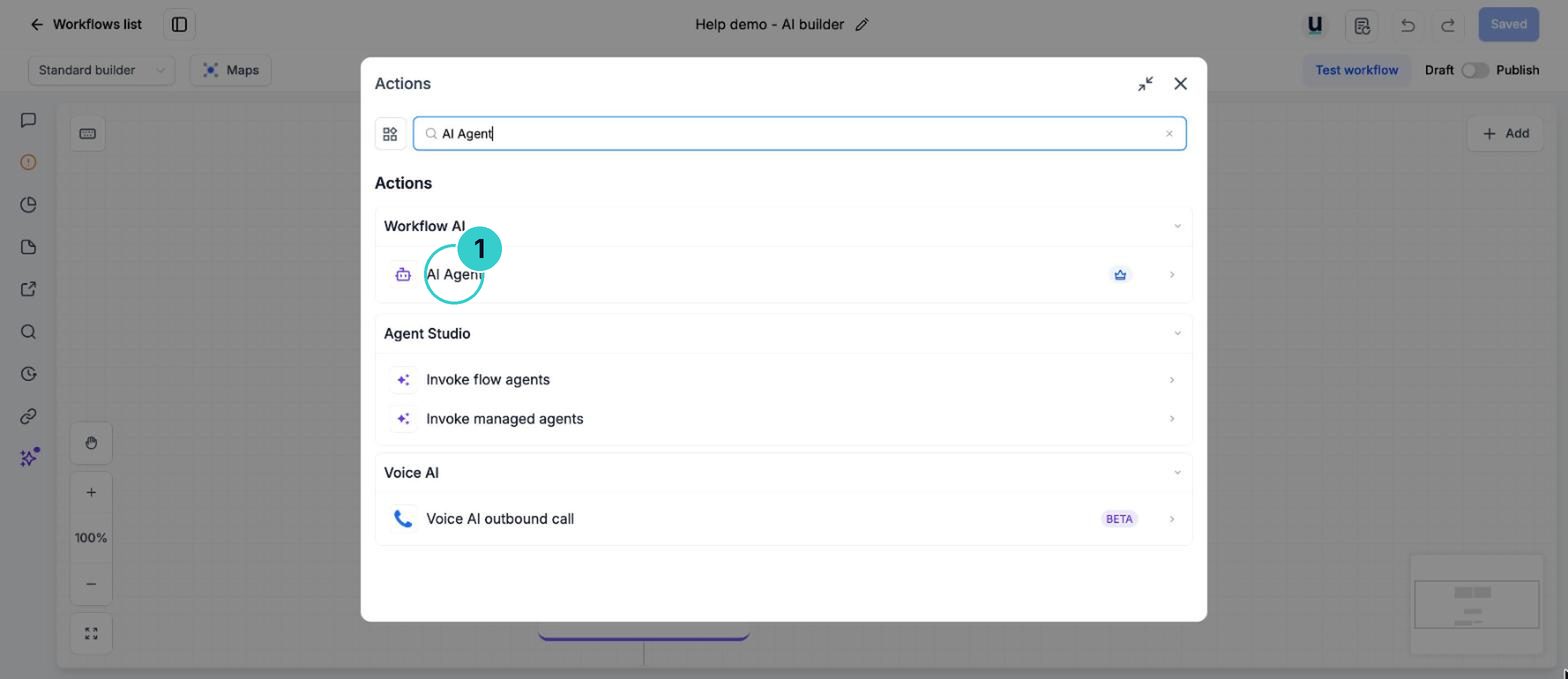
Write the instructions
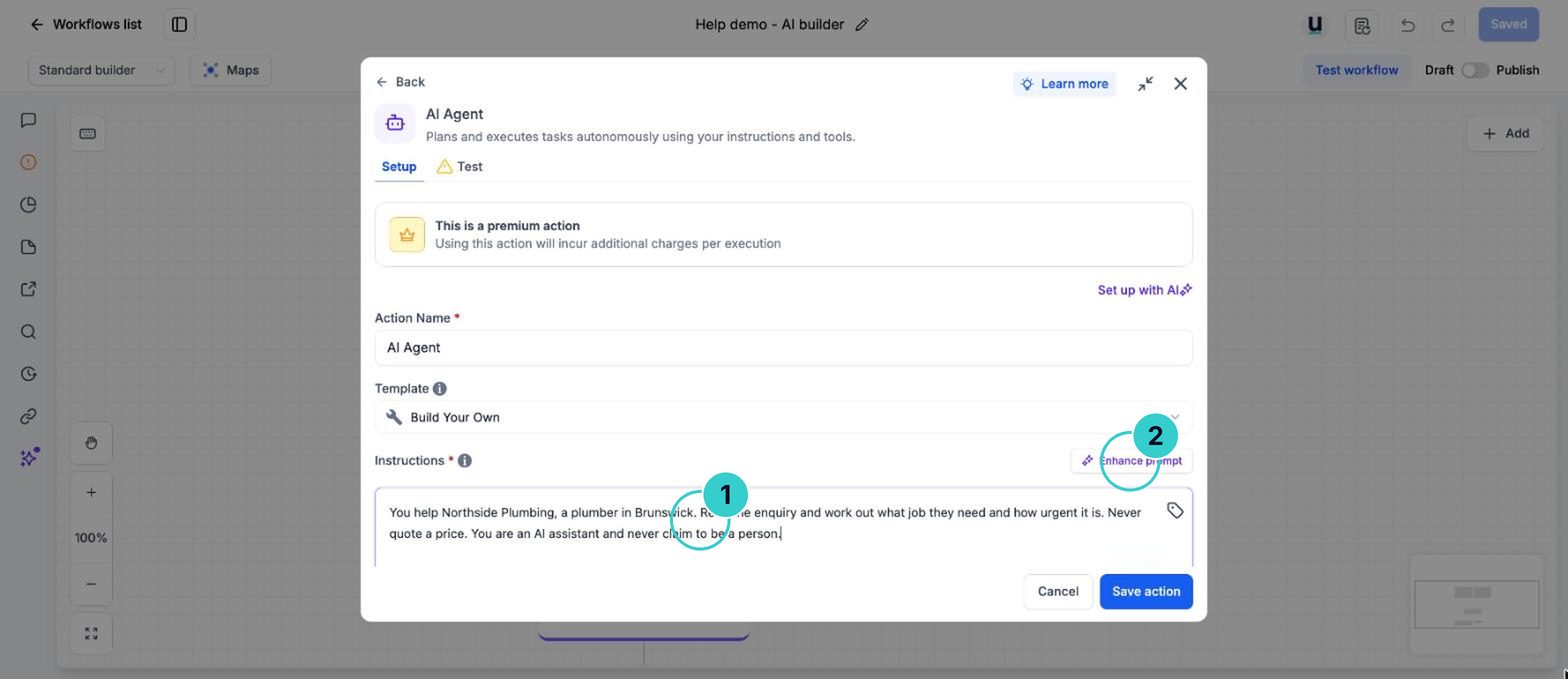
Say who it is, what it's for, what it must never say, and when to stop and pass to a person. Paste this and change the brackets.
InstructionsYou help [business name], a [trade] in [suburb or region]. Read the enquiry and work out what job they need and how urgent it is. Never quote a price; say a team member will confirm it. If it sounds like an emergency (gas smell, flooding, sparks), say to call [phone number] now. If you're not sure, say a person will call them back. You are an AI assistant and never claim to be a person. Australian English, short and friendly.Type your own details over the [ ] parts. This text goes into an AI prompt or a page, where merge fields don't fill in.
Turn on the tools it needs
Under tools, switch on only what it should be allowed to do, such as Send SMS. Under Built-in tools, switch on Web search if it needs to look things up, and paste trusted web addresses into the instructions.
Automations› Workflows› AI Agent› Built-in tools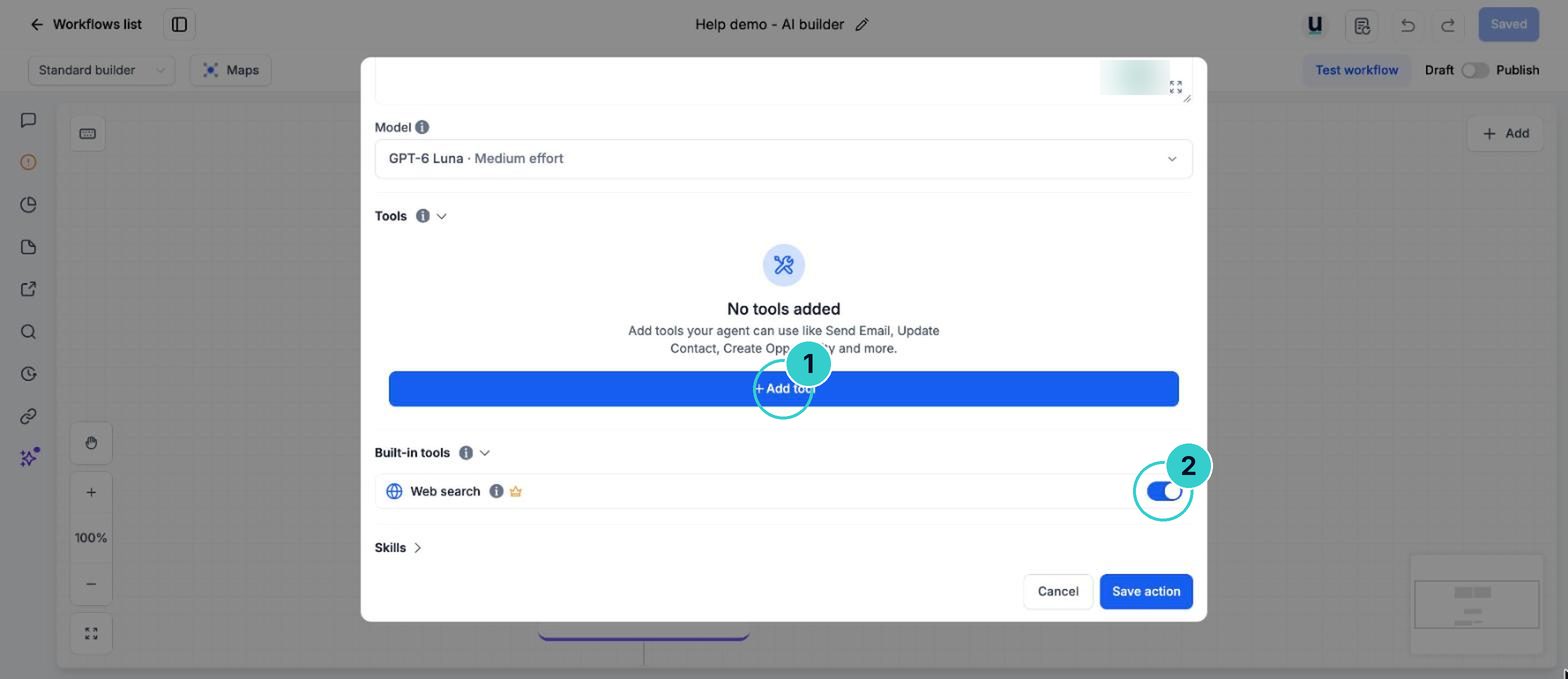
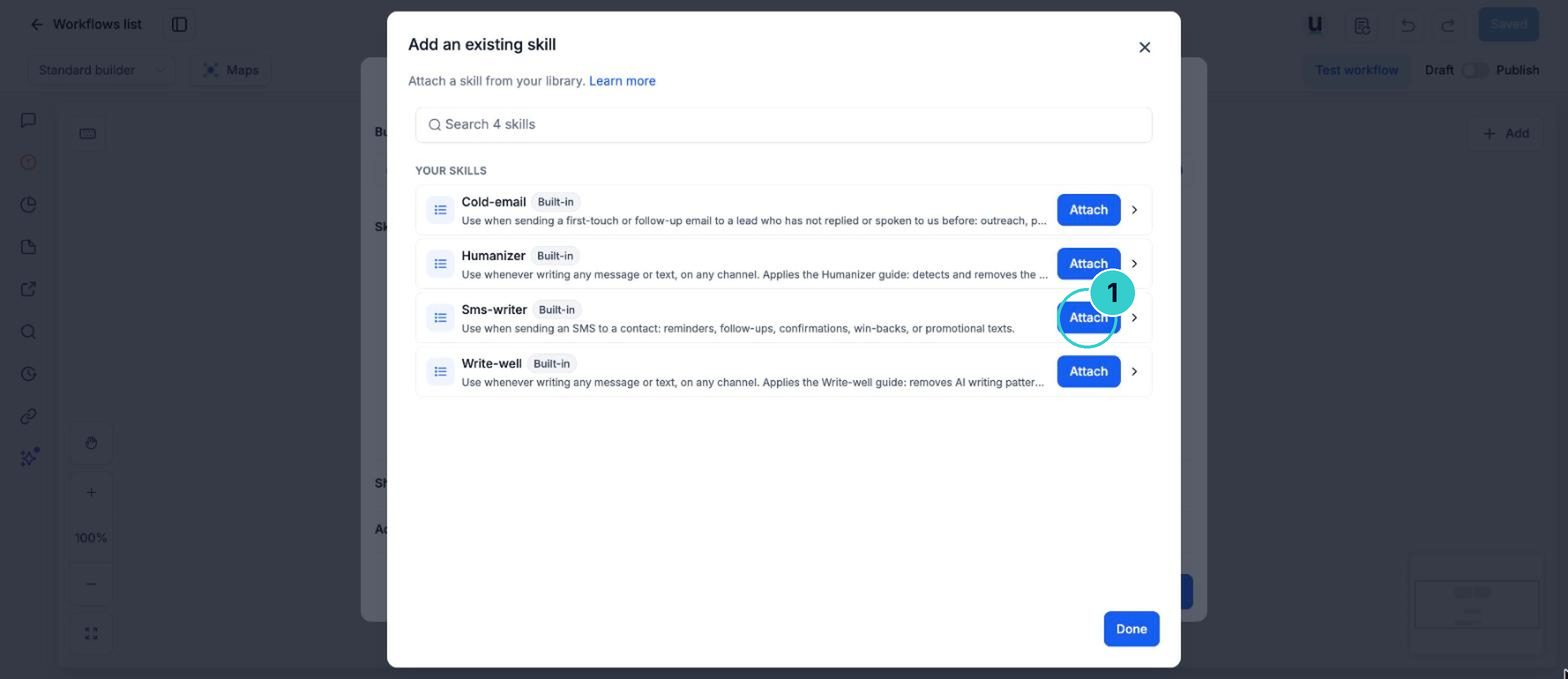
Add skills if it has more than one job
Skills are extra procedures the agent loads only when they apply, like an 'emergency jobs' routine. See the skills guide.
Test on yourself, then publish
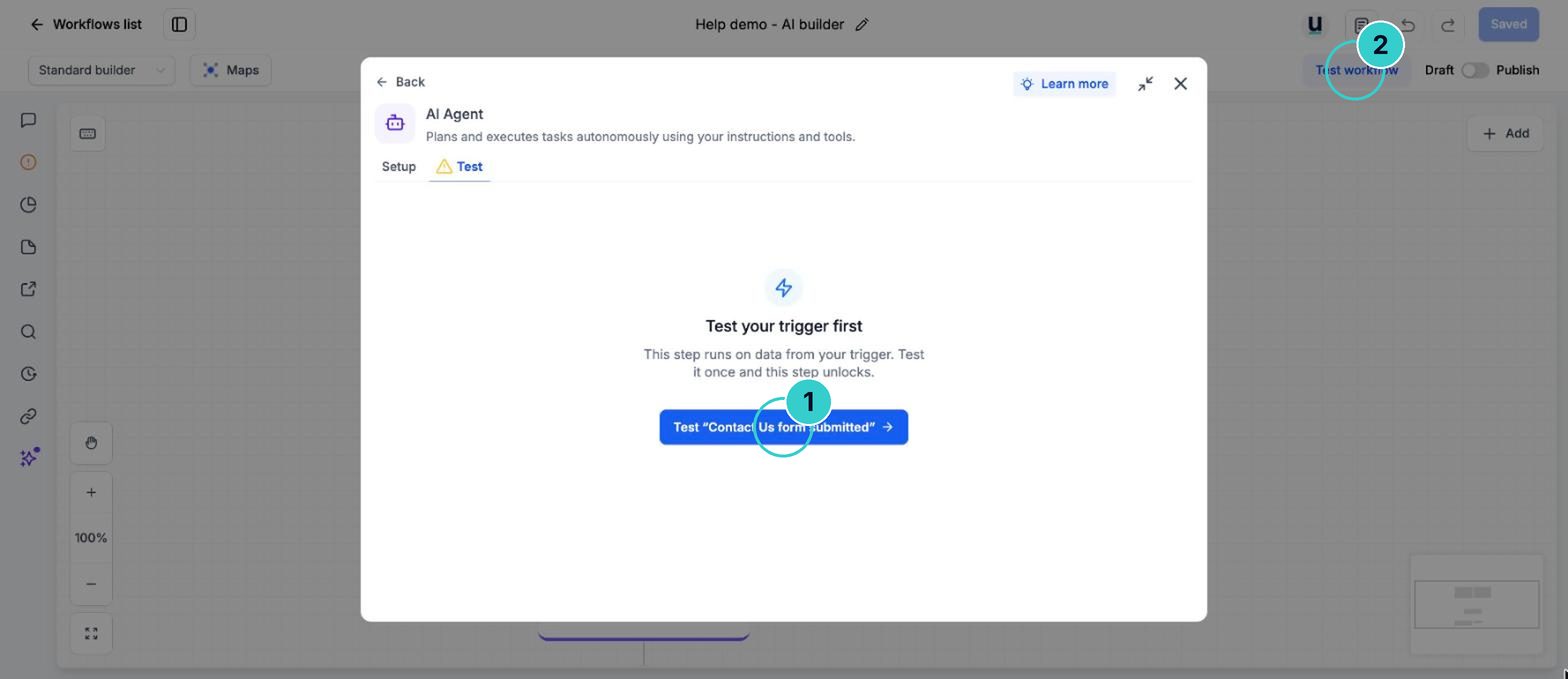
Use Test workflow with your own contact and an enquiry you've written. Read what it decided and what it would send. Then Publish.
Leads get a thoughtful first answer or the right next step, and the agent's work is logged.
What you should never automate ›Next up
People who did this also asked
Give your workflow AI agent skills
Teach one agent several routines (emergency jobs, after-hours, cold leads) that it only uses when they apply. Start from the built-in ones or write your own.
- 1Open Skills on the agent step
- 2Add from library
- 3Test
Build your own AI agent
An agent that runs a job for you: follows up, chases, checks, reports. Described in plain English.
- 1Start it
- 2Describe the job
- 3Set when it runs
Have AI watch a customer's video or photo and write it up
A customer sends a video of the leak or a photo of the damage. AI describes it into a note or field so you know what you're walking into before you call.
- 1Add the step
- 2Point it at the video and ask your question
- 3Save the answer
Usage charges, explained
Why texts, calls, email and AI show up as usage, and where to see your balance.
- 1What usage is
- 2See the rates
- 3Check your balance