
What it is, and who it suits
Tags are labels on contacts that workflows, smart lists and campaigns use. Over time accounts collect dozens of near-duplicates ('hot lead', 'Hot-Lead', 'hotlead'). Tag categories group them, and each tag can have a description saying what it's for. It suits any business with more than one person tagging contacts.
Open Tags
Go to CRM > Contacts > Tags. The table shows each tag with its Description and Category. The Categories tab lists your groups.
CRM› Contacts› Tags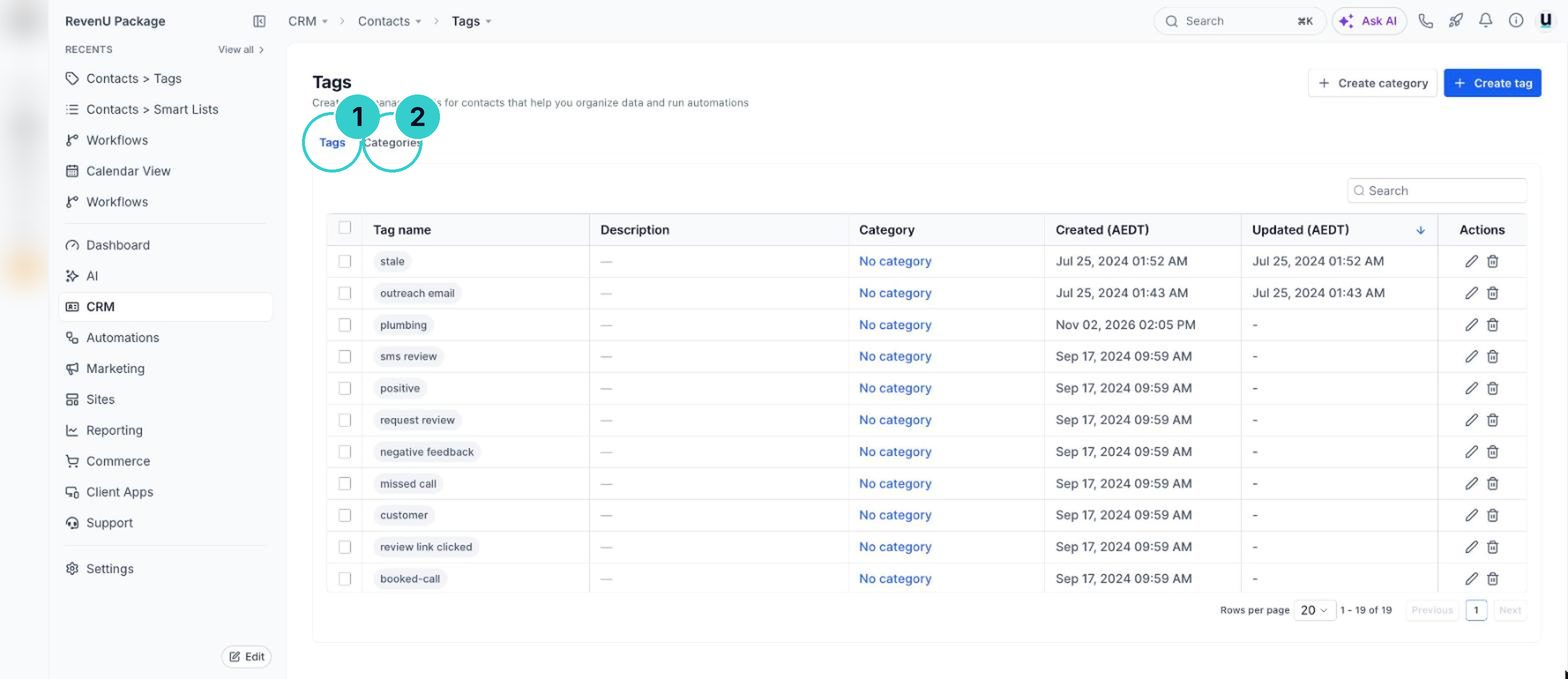
Create your categories
On the Categories tab, click + Create category. Keep it to a handful.
CategoryServiceCategoryLead sourceCategoryStatusCategoryDo not contact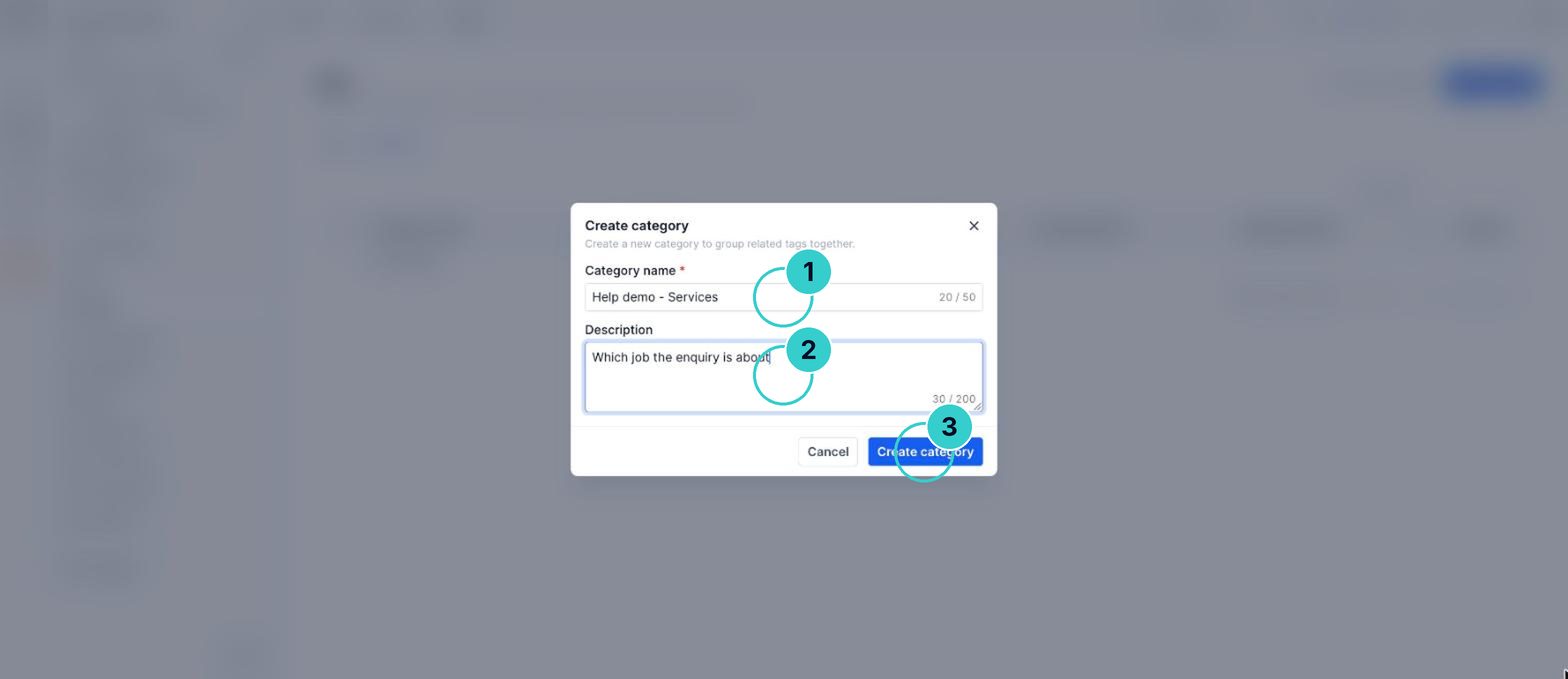
Put each tag in a category and describe it
Edit each tag, pick its category and write one line on when to use it. Merge or delete the duplicates once you've checked no workflow uses them.
Tag descriptionAdded when a lead books a free measure and quote. Used by the quote follow-up workflow.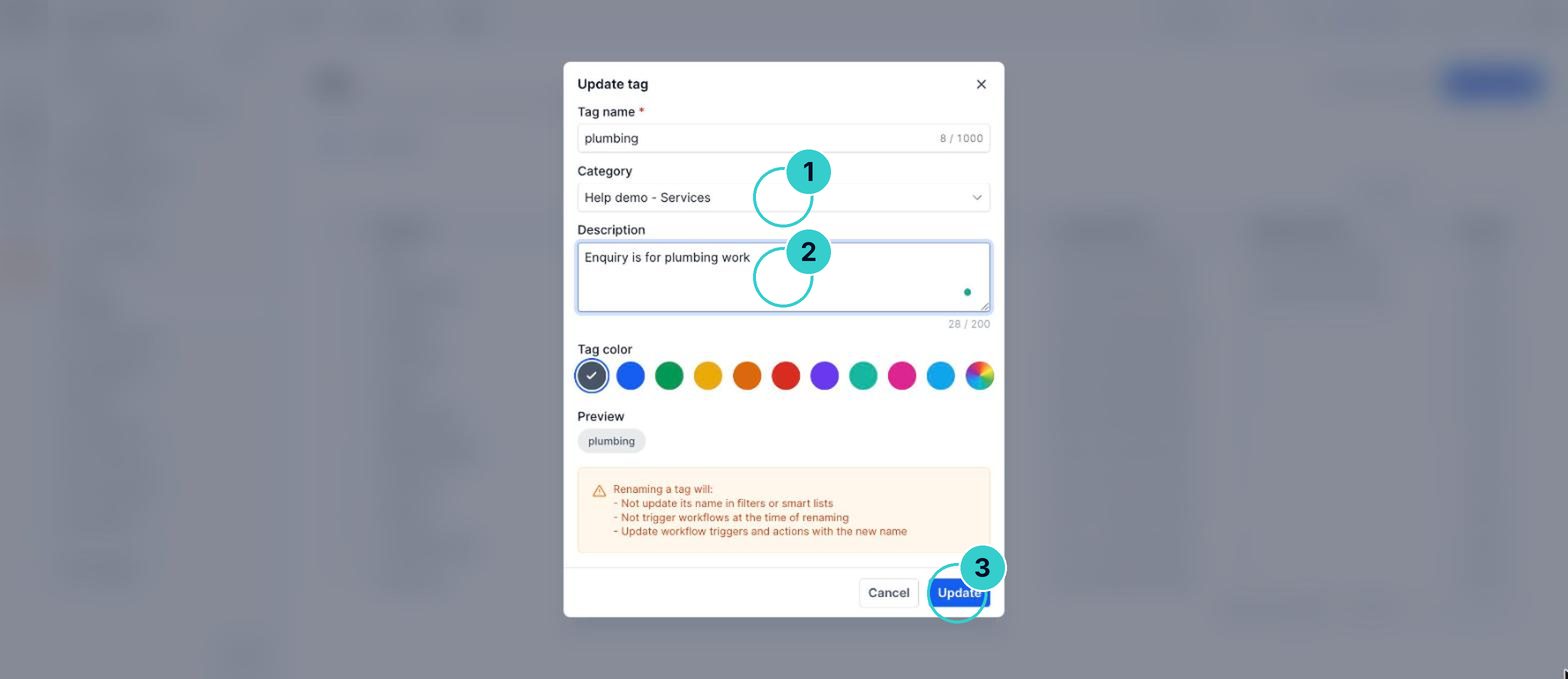
tipBefore deleting a tag, search your workflows for it. A workflow triggered by a deleted tag stops firing silently.
A short, tidy tag list in clear groups that your team actually uses the same way.
Next up
People who did this also asked
Smart lists: segment your contacts and why it pays
Save a filtered view of your contacts (like 'customers from last year who haven't booked') and message only them.
- 1Why segment
- 2Open contacts and filter
- 3Segments worth saving
Add contacts to a workflow
Put a whole list into a workflow at once, one person by hand, or anyone who gets a tag.
- 1Pick the contacts
- 2Trigger automation
- 3Drip them in
Why isn't my workflow working?
Eleven things that quietly stop automations, most likely first, and how to check each in a minute.
- 1How a workflow runs
- 2It's still a draft
- 3Check Enrollment History
Add your customers to revenu
Import a spreadsheet, add people one at a time, or let them add themselves with a form.
- 1Get the file ready
- 2Start the import
- 3Choose what you're importing