
How it works
When someone fills in a lead form on one of your Facebook or Instagram ads, Meta passes their details to revenu. A contact is created in Contacts, and a workflow can text and email them within seconds. Speed matters: the first business to reply usually wins the job. Instagram ad leads come through the same connection as Facebook.
Connect it so leads arrive and get a reply automatically. Use the file route as a backup, or for old leads you've already got in Meta.
Connect it and reply automatically
Connect Facebook
Go to Settings > Integrations and connect Facebook. Sign in with the Facebook account that manages your Page, and say yes to every permission, or leads won't flow.
Settings› Integrations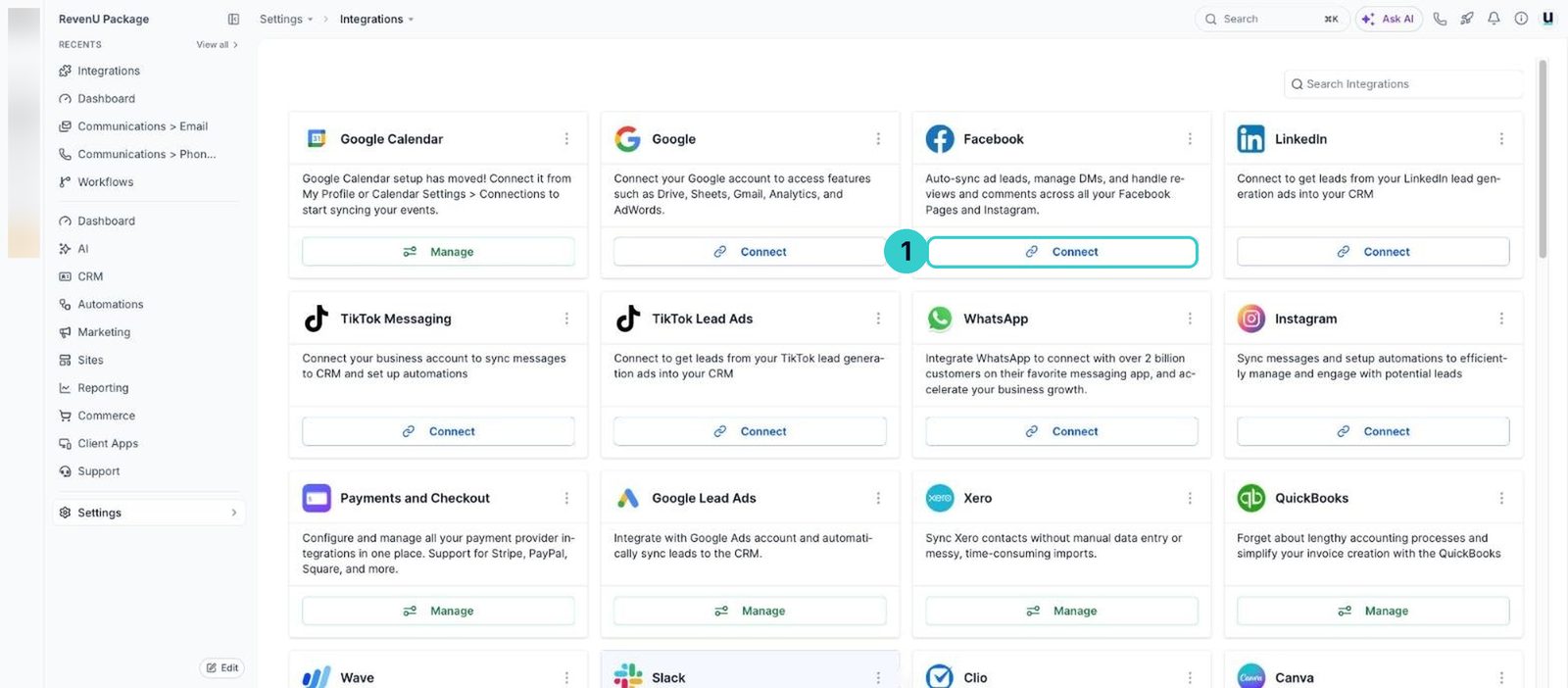
Pick your Page and Instagram
Choose the Facebook Page and the Instagram account linked to it. You can also manage this in Social Planner.
Marketing› Social Planner1 See it on the App map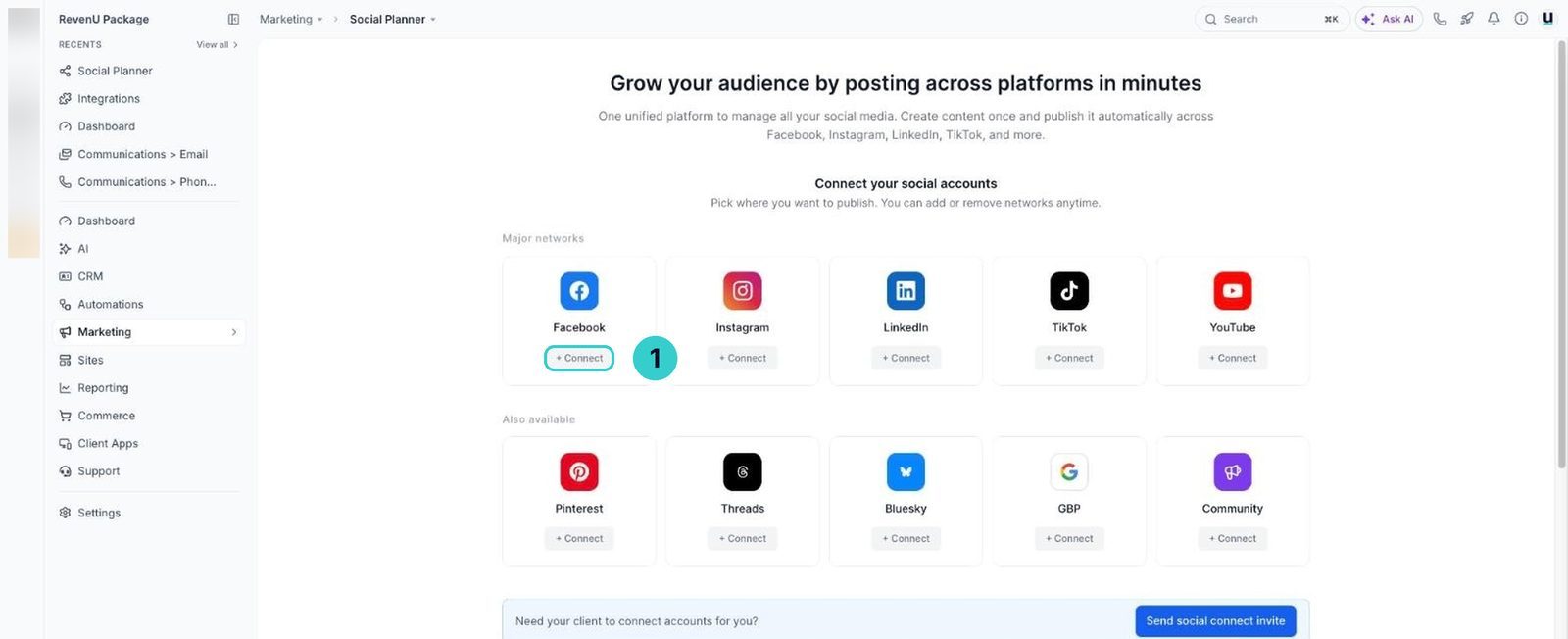
Start a workflow from the form
In Automations > Workflows, create a workflow and add the trigger Facebook lead form submitted. Select your Page and the exact form. Instagram ad leads use the same trigger.
Automations› Workflows1 See it on the App mapWorkflow nameReply to Facebook leads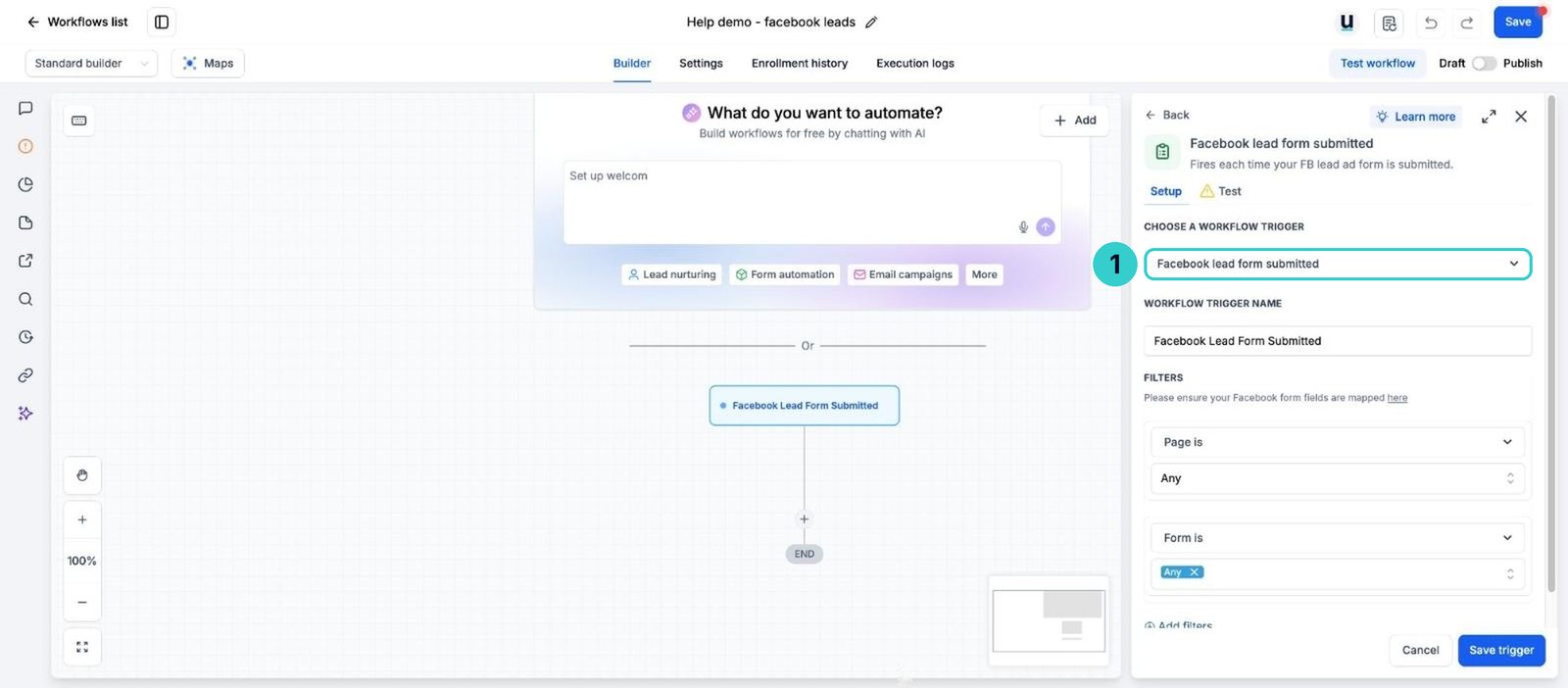
Reply instantly
Add Send SMS and Send Email actions so the lead hears from you in seconds. Keep it friendly and say what happens next.
SMSHi Sarah, thanks for your enquiry with Northside Plumbing. We'll be in touch shortly, or call us on 03 9000 0000. Reply STOP to opt out.About 136 characters, 1 text per person. Check the costEmail subjectThanks for your enquiry, SarahEmail bodyHi Sarah, Thanks for your enquiry with Northside Plumbing. We'll be in touch shortly. If it's urgent, call us on 03 9000 0000. Thanks, DanShown with example details. Copy pastes the version that fills in your own business and each customer's name by itself.
Add an alert for you
Add a Send internal notification action so you or your team get told about each new lead.
Test with a sample lead
Send a test lead from Meta's lead ads testing tool. Check it appears in Contacts and the reply arrives. Then publish the workflow.
New Meta leads show up in Contacts within moments, and your workflow follows up.
Next up
People who did this also asked
New leads aren't coming through
A form, chat, call or ad went quiet. Check these in order, most likely first.
- 1How a lead reaches you
- 2Send a test from your phone, off the office wifi
- 3Check the contact landed
Reply to new leads the moment they enquire
Someone fills in your form and gets a text and email straight back, even at 10pm. Three ways to set it up.
- 1Pick the template
- 2See what it does
- 3Change the trigger to your form
Add your customers to revenu
Import a spreadsheet, add people one at a time, or let them add themselves with a form.
- 1Get the file ready
- 2Start the import
- 3Choose what you're importing