
What it is, and who it suits
The Split action shares each contact out across the paths below it, instead of sending every contact down every path like Router. It suits load balancing (splitting leads between two salespeople), fair testing (sending half one way and half the other), or anything where you want contacts spread out rather than all going the same way.
Three modes
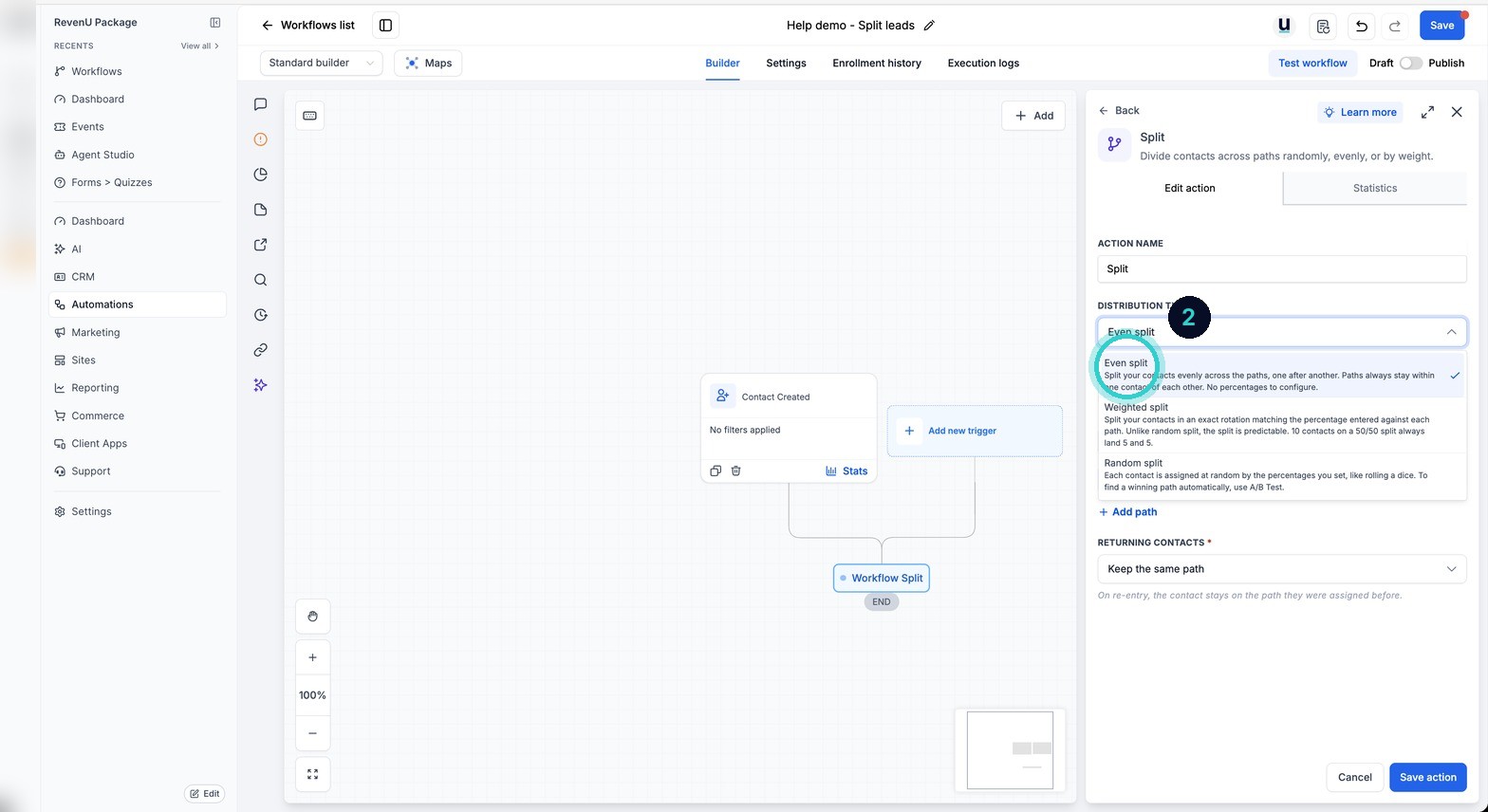
Even split shares contacts equally across paths. Weighted split lets you set a percentage per path, totalling 100, so one path can take 70 per cent and another 30. There is also a Random split, which sends each contact down one of the paths at random, so the spread evens out roughly over a lot of contacts but not on small numbers. Use Even or Weighted when the share needs to be exact.
A/B Test picks a winner by goal and stops the loser. Split just shares contacts out and keeps every path running.
Even split
Add the Split action
In the workflow, click + Add action and choose Split.
Automations› Workflows› a workflow› +› Split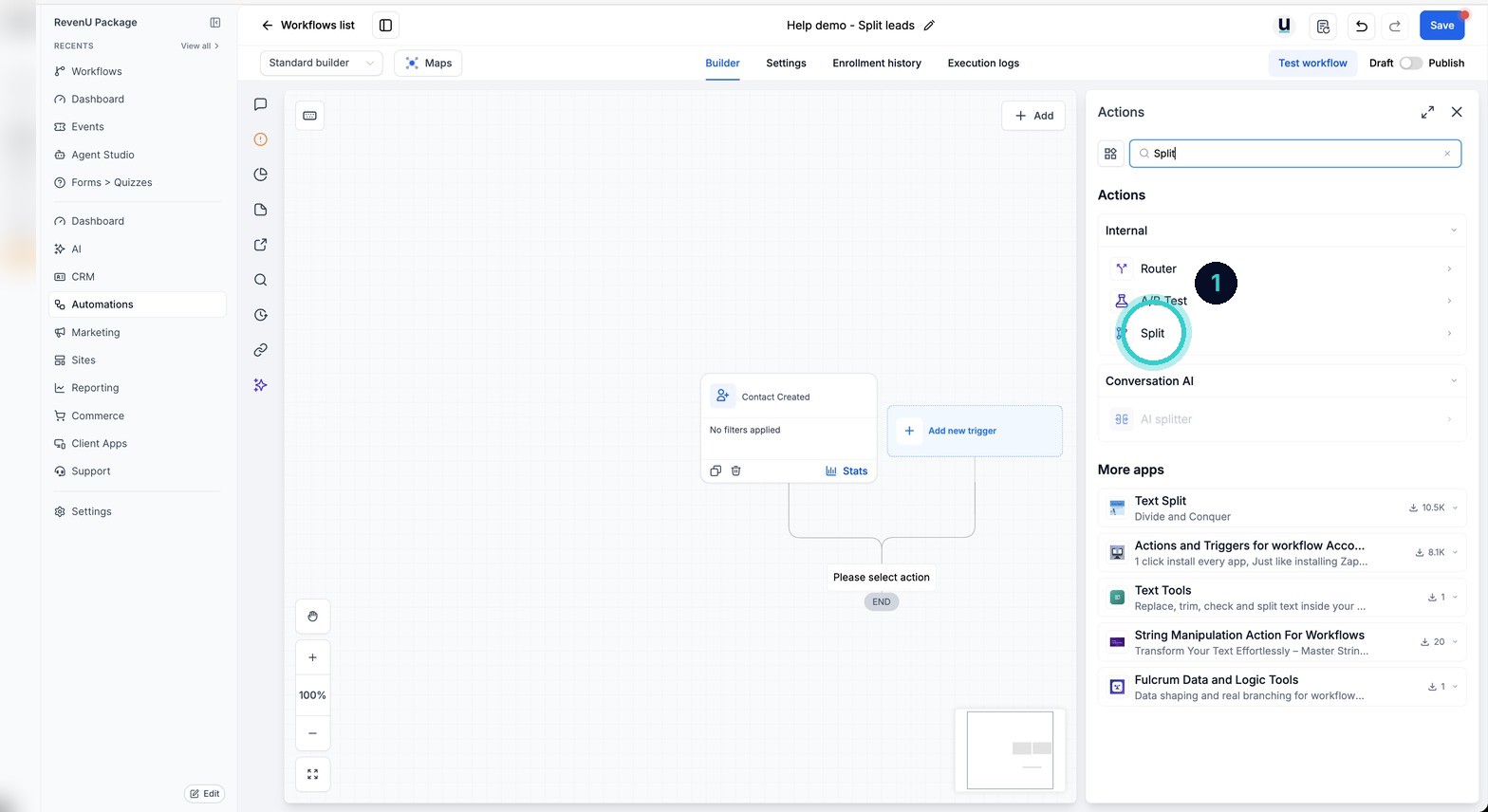
Pick Even split
Choose Even split. Contacts are shared equally across the paths below it.
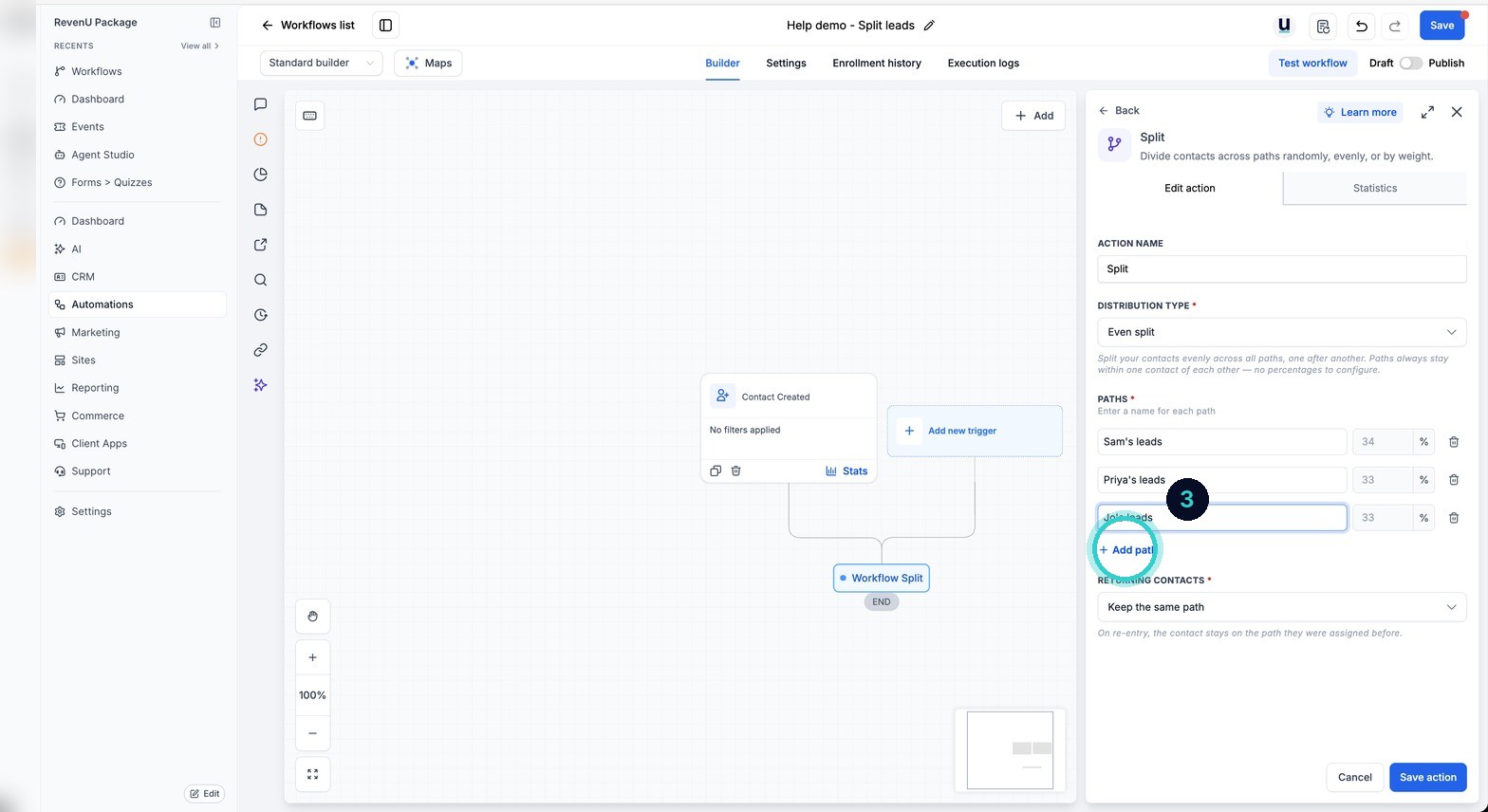
Add the paths
Add a path for each branch. Each contact goes down one path, spread evenly across them all.
Test and publish
Test the workflow on your own contact and check which path it took, then Publish.
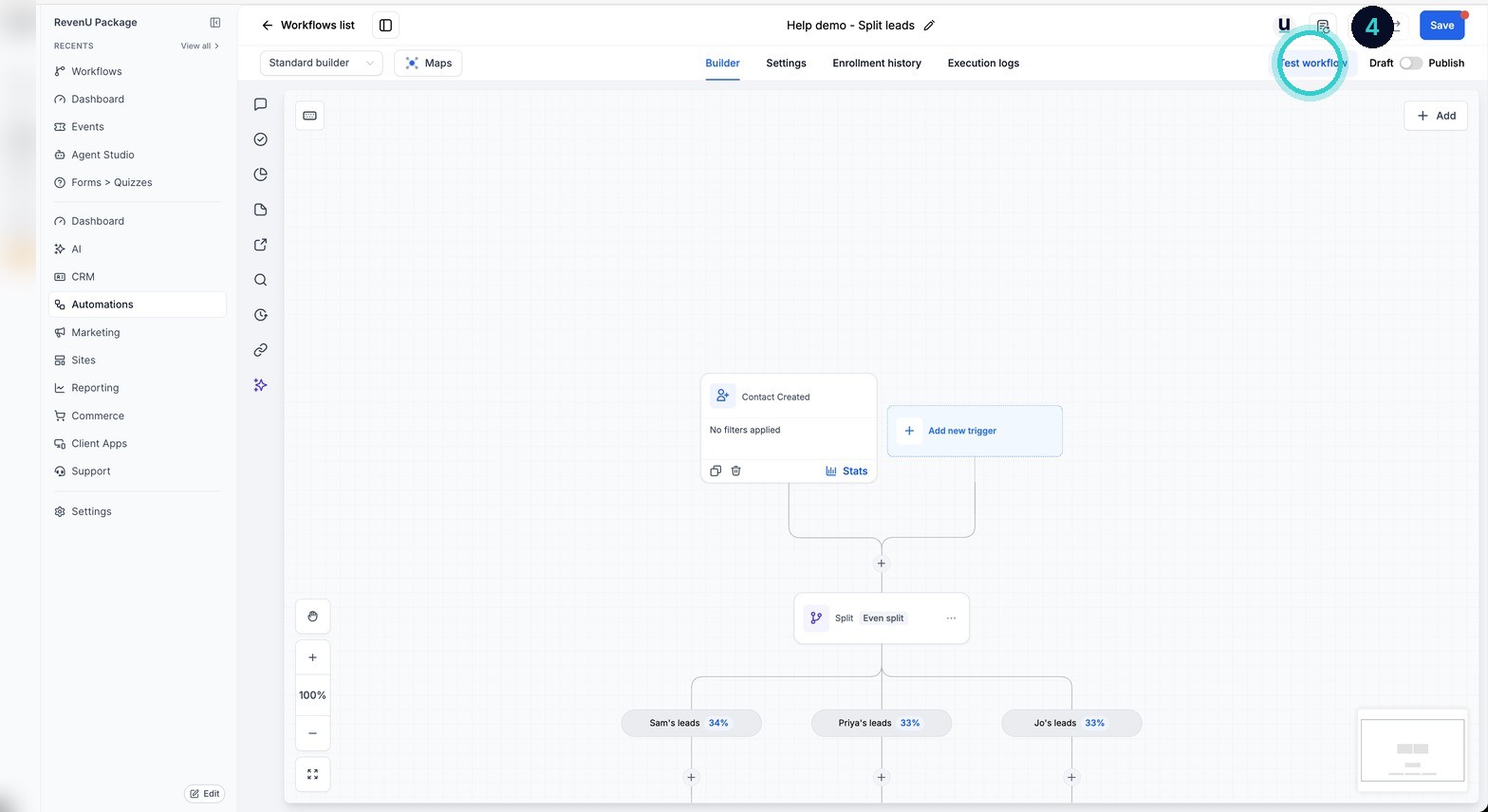
Contacts are shared across paths evenly or by the weight you set, with every path still running.
Next up
People who did this also asked
Send one contact down several paths at once (Router)
A form with three services ticked tells all three teams, in one workflow. Router runs every branch that matches, not just the first.
- 1Open the workflow
- 2Add the Router
- 3Name each branch and set its rules
Build a workflow by describing it to AI (and test it in the chat)
Say what should happen in plain words. AI drafts the trigger and steps, then you can test it from the same chat before it goes live.
- 1Open Build using AI
- 2Describe it
- 3Check the draft
Why isn't my workflow working?
Eleven things that quietly stop automations, most likely first, and how to check each in a minute.
- 1How a workflow runs
- 2It's still a draft
- 3Check Enrollment History